
Types of Affiliate Marketing Plugins
There are many ways to grow a WordPress website, and affiliate marketing is one of the most effective ones. Whether you are selling your own products or promoting someone else’s, the right setup can turn ordinary links into a steady source of income.
But as your site grows, managing affiliates, tracking performance, and keeping links clean quickly becomes more complex than it looks at first.
That is where WordPress affiliate plugins come in. Some plugins focus on helping you build and manage your own affiliate program, handling things like registrations, commissions, and payouts.
Others are designed for the publisher side, giving you powerful link management tools such as link shortening, tracking clicks, and optimizing placements across your site.
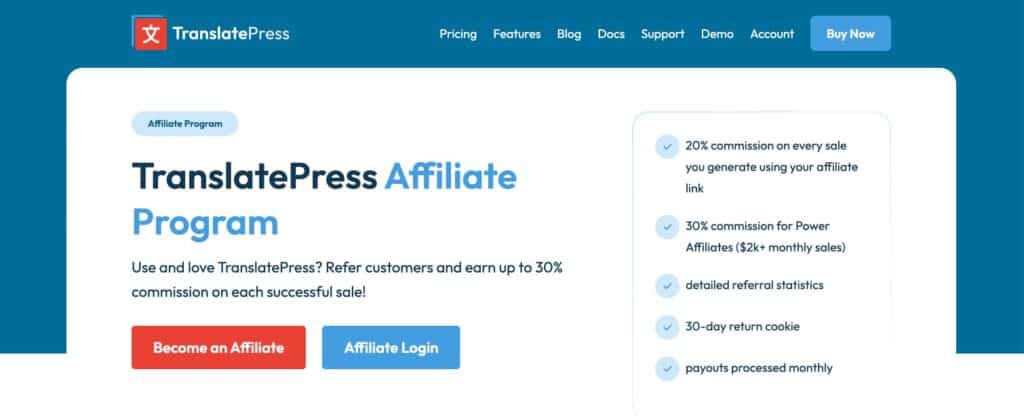
For example, at Design for WP, we host our affiliate program for our own products. This helps us to reach other people who are willing to share our products with their audiences.
In this article, we will look at the best WordPress affiliate plugins available today, covering both full affiliate program solutions and smart link shorteners.
Top 3 plugins to build your own affiliate program
1. AffiliatePress
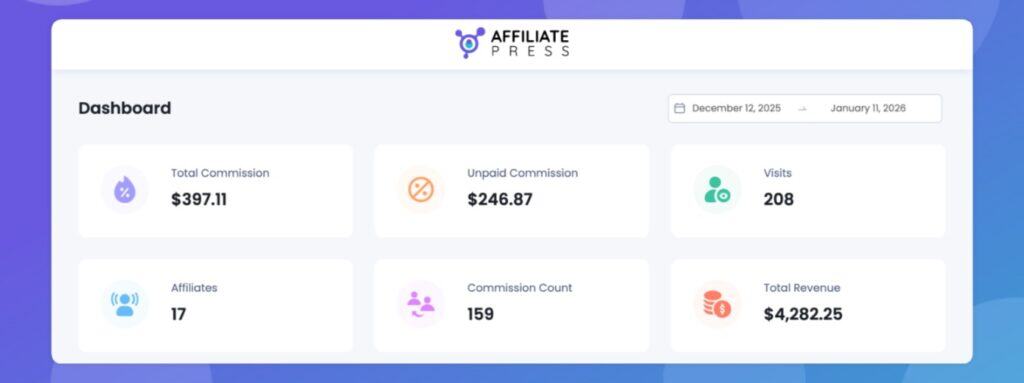
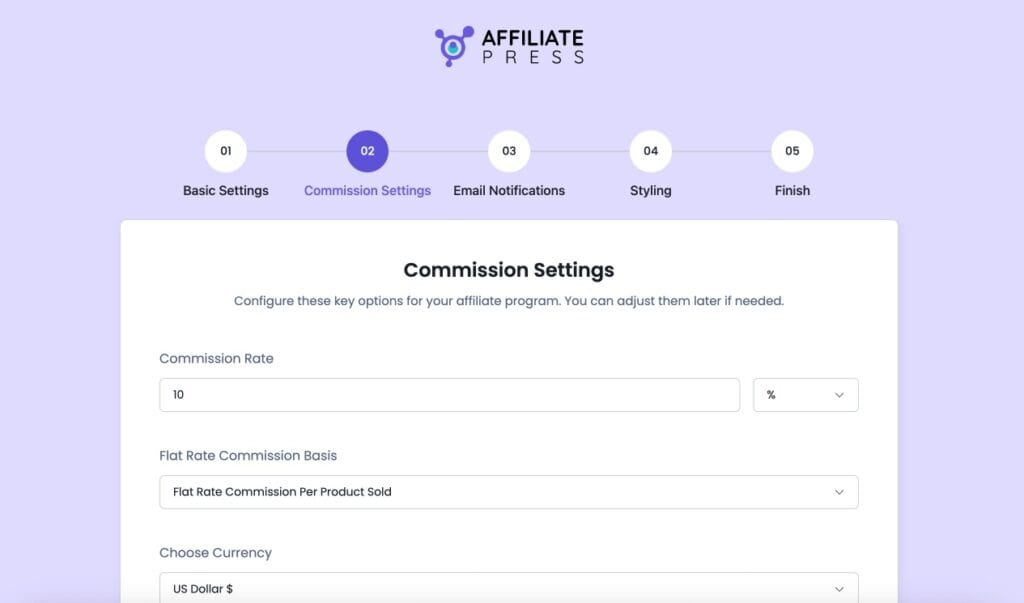
AffiliatePress offers a free version of its WordPress affiliate marketing plugin. At its core, the free version lets you register and manage an unlimited number of affiliates on your site. You can set up commission tracking and record referrals, manage payouts manually, and run your affiliate program entirely from WordPress. The plugin also includes a simple setup wizard to help you get started, as well as user panels for both administrators and affiliates so people in your program can see their stats and links.
One of the strengths of the free tier is that it integrates with WooCommerce and a wide range of other WordPress plugins out of the box. AffiliatePress lists more than 23 supported integrations, including popular tools such as Easy Digital Downloads, MemberPress, WPForms, and Gravity Forms. This can help you run an affiliate system that ties into purchases or registrations across different parts of your site.
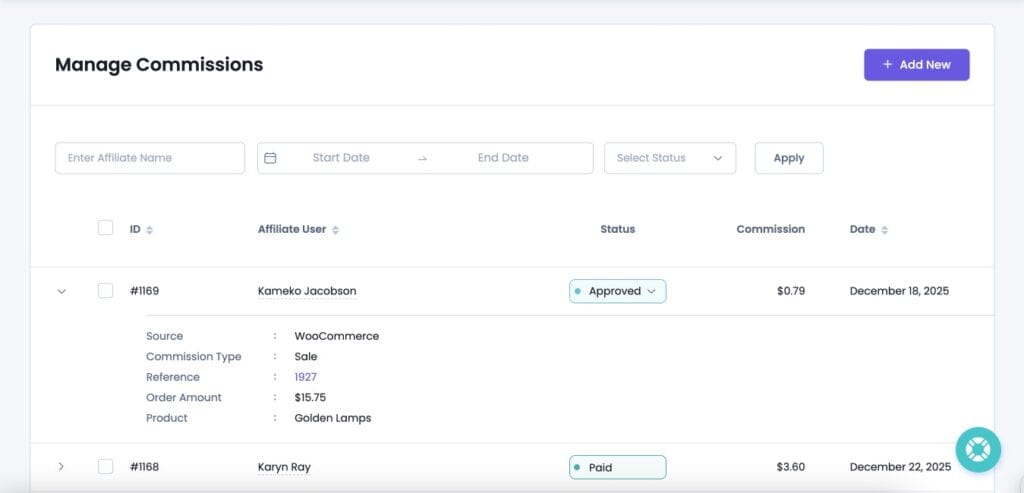
In essence, the free version gives you the building blocks to set up and track a functional affiliate program. Especially because you get an unlimited number of affiliates, commissions, and payouts, it allows you to run a smaller-scale affiliate program. When it grows, you can always upgrade to a higher-tier plan. This is exactly the flexibility we like to see.
Pros
- Supports unlimited affiliates, commissions, and payouts in the free version.
- Deep integration with WooCommerce plus 23+ other WordPress tools such as EDD.
- Built-in panel for affiliates makes basic program management possible.
- Great upgrade opportunities, e.g. around commission structures, payouts, and more, with tiered pricing and lifetime deals.
Cons
- Advanced features like multi-level commissions or automated payouts require a paid plan.
You can download the free version of AffiliatePress from their own website, as they do not list the plugin in the public WordPress Plugin Directory.
2. SliceWP
SliceWP is another all-in-one affiliate marketing plugin that lets you run your own affiliate program. It is available as a free plugin in the official WordPress repository. It provides the essential tools needed to recruit affiliates, track referrals, and manage basic commissions. Its UI in particular is very refreshing and feels well integrated with the WordPress ecosystem.
The free version of SliceWP focuses on the fundamental aspects of an affiliate program. Once installed, it helps you onboard unlimited affiliates and automatically track referrals and commissions that come through those affiliates. You can create a straightforward affiliate registration form and a basic dashboard for your affiliates to log in and view their affiliate links and performance. It integrates with popular WordPress e-commerce plugins like WooCommerce, Easy Digital Downloads, and several membership tools, making it suitable for shops, courses, and subscription sites.
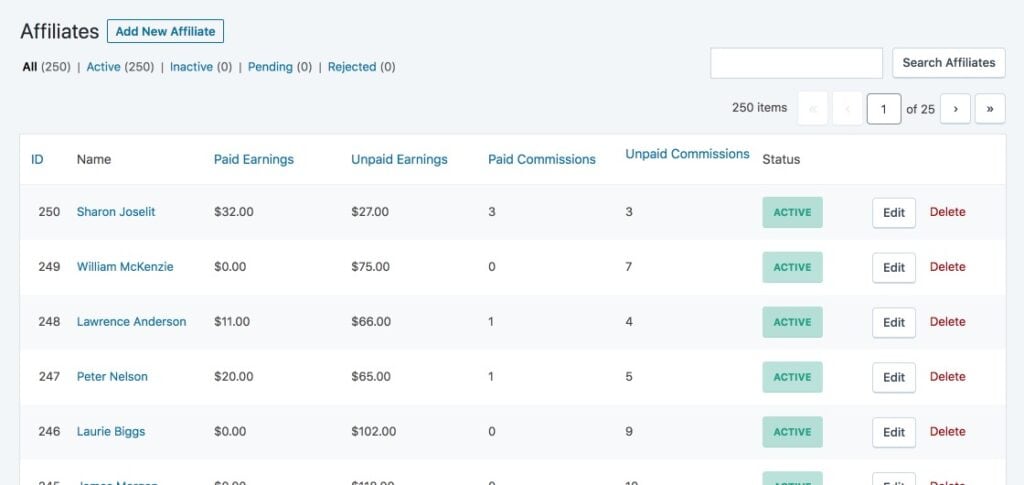
Getting started with the free version is relatively simple thanks to a setup wizard that guides you through configuring the affiliate program. After that, affiliates can register, get their referral links, and begin promoting your products or services. The plugin can track both fixed and percentage-based commissions, letting you pay affiliates based on referred sales.
Pros
- Fully free to start and installable from the WordPress plugin directory.
- Unlimited affiliates supported even on the free tier, so you are not capped as your program grows.
- Integrates smoothly with WooCommerce and other e-commerce tools.
- Basic affiliate dashboard and referral link generation help affiliates manage their activity.
Cons
- Advanced features such as coupon codes and custom commission rates per product or affiliate are locked behind the paid version.
SliceWP’s free version is a good starting point if you want a lightweight affiliate program within WordPress without spending money.
3. Affiliates

If you are looking to build a full affiliate marketing program without spending any money, the Affiliates plugin is a solid option. It has a smaller user base and its UI looks a bit outdated, but it offers a large feature set and integrates with a variety of platforms.
Right after installing the free version, you gain access to an unlimited affiliate management system. You can let partners register themselves or add them manually, and the plugin tracks visits and referrals from your affiliates’ unique links.
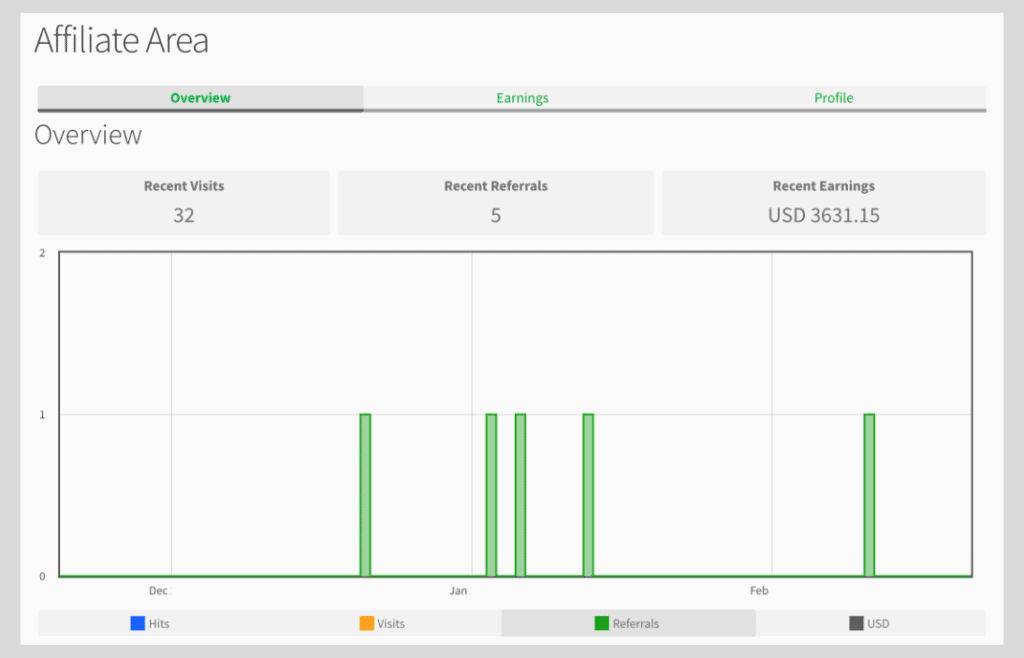
Affiliates provides a frontend dashboard where partners can log in, view their referral links, check performance stats, and see earnings. The plugin also includes blocks and shortcodes to embed login, registration, profile, and earnings pages anywhere on your site.
Pros
- Many features available in the free version.
- Unlimited affiliates, referrals, and visit tracking.
- Blocks and shortcodes included.
- Extra integrations available through free add-on plugins.
Cons
- Some features are only available in the paid Pro or Enterprise plans.
- The UI looks a bit outdated.
Top 3 plugins to shorten and track affiliate links
1. LinkCentral
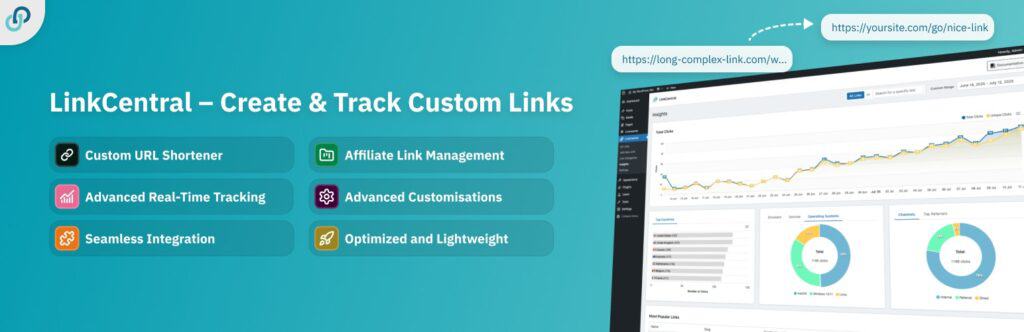
If you want a self-hosted affiliate link shortener inside WordPress, LinkCentral is one of the most polished free options available. At its core, it lets you create clean, branded short URLs instead of long affiliate links. This makes URLs easier to remember and can help improve click-through rates. It includes built-in analytics so you can see how often each link is clicked directly from your WordPress dashboard.
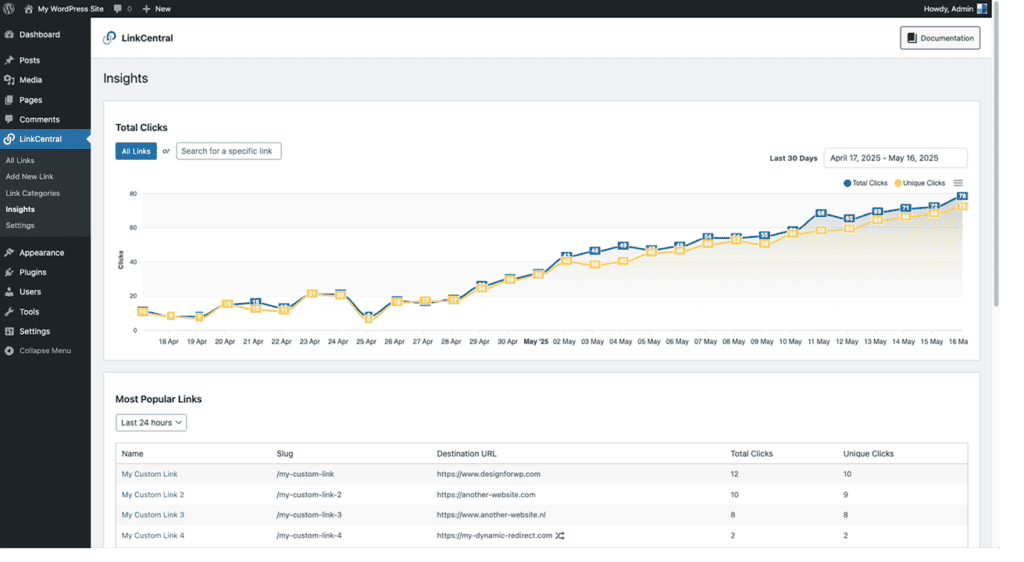
LinkCentral also helps you stay organized with categories for your links and private notes so you never forget what a particular slug points to. You can choose different redirect types such as 301 or 302, set link attributes like nofollow or sponsored, and even schedule redirects ahead of time. If one of your affiliate links needs to be replaced, you can update it from a single point and it will be updated everywhere.
Pros
- Easy to shorten affiliate URLs and replace complicated partner links with branded slugs.
- Tracks link clicks and performance.
- Uses WordPress custom post types for easy integration and extendability.
- Works well with Gutenberg, the Classic Editor, and popular page builders.
Cons
- Some features such as dynamic redirects and advanced analytics are part of the premium upgrade.
For bloggers and affiliate marketers who want a solid all-around link shortener built into WordPress, LinkCentral delivers strong value in the free tier and scales well as your site grows.
2. ClickWhale

ClickWhale is another free WordPress plugin that works well if you are serious about managing and analyzing your affiliate links without leaving your site. It lets you shorten URLs into branded versions and tracks how many times each link is clicked. While it does not offer the same level of detail as LinkCentral, it provides a clear overview of which links resonate with your audience.
One standout feature of ClickWhale is the Link Page option. This allows you to create a dedicated landing page that aggregates multiple links, similar to a “link in bio” page for platforms like Instagram or TikTok. These pages can be customized and used to promote multiple affiliate offers from one clean location.
Pros
- Clean affiliate link shortening and basic tracking available immediately after activation.
- Built-in support for link pages lets you create a “link in bio” style landing page without extra plugins.
Cons
- The tracking analytics are fairly basic.
- More advanced features and detailed reports require the Pro plan.
For content creators who want to shorten links and build a central link hub without external services, ClickWhale offers good value in its free tier.
3. BetterLinks
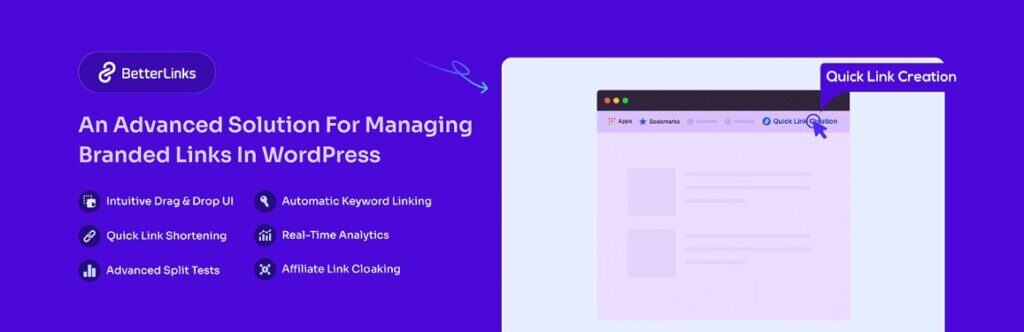
BetterLinks is a long-standing free plugin in the WordPress.org directory that offers link shortening, tracking, and analytics in one place. It is designed to be user-friendly, so even beginners can install it and start creating clean affiliate URLs right away. BetterLinks automatically shortens long partner URLs into neat links and lets you manage dozens or even hundreds of them from a single dashboard.
The free version includes basic analytics so you can see how many clicks each link generates. You also get options for different redirect types such as 301, 302, and 307. Links can be organized using categories or tags to keep campaigns tidy. BetterLinks supports link creation inside popular WordPress editors like Gutenberg and Elementor.
Pros
- Easy to use for beginners, with intuitive link creation from the dashboard.
- Tracks clicks and basic performance metrics.
- Works with page builders, offering flexibility in how links are inserted.
Cons
- Advanced tools like dynamic redirects, bot blockers, or detailed user role controls require the Pro version.
- The plugin promotes its Pro plan quite aggressively.
Conclusion
While many WordPress plugins are paid, some of the best options are either completely free or offer very generous free versions. All the plugins listed above are strong solutions for affiliate marketing on a WordPress website.
If you want to build your own affiliate program for products or services, AffiliatePress, SliceWP, and Affiliates are all worth trying.
If you are a content creator looking to earn money by promoting other products or services, using a link shortener and tracking plugin makes sense. LinkCentral is a strong free option in this category. ClickWhale and BetterLinks are good alternatives.
Frequently Asked Questions
Yes. WordPress offers strong free plugins for both sides of affiliate marketing: running your own affiliate program and managing outbound affiliate links. While paid versions often unlock extra features, many plugins provide enough functionality in their free tier to get started.
If you are only promoting other companies’ products, you do not need a plugin to run an affiliate program. In that case, a simple link shortener and tracking plugin is enough. It helps you manage, update, and track your affiliate links while being prepared to scale.
Yes. Affiliate plugins generally fall into two categories: plugins for running your own affiliate program and plugins for managing and tracking outbound affiliate links. Because these serve different purposes, they usually work well together. For example, you might use AffiliatePress to manage affiliates promoting your own products, while using a link shortener like LinkCentral to manage the affiliate links in your content.
If you need a link shortener to manage and track outbound affiliate links, LinkCentral is the best choice thanks to its clean interface, built-in tracking, and strong free features. If you want to build your own affiliate program, all three options mentioned are solid, but AffiliatePress or SliceWP are great starting points because they are easy to set up and offer generous free versions.